Wondercare
Best Tool in India
ListingPilot replied
Thank you, Wondercare. Your team pushed us hard on returns and settlement accuracy, and the product is better for it.
TACoS (Total Advertising Cost of Sales) = Amazon ad spend ÷ total sales × 100. ACOS tells you whether a campaign is efficient; TACoS tells you whether advertising is building sales that eventually arrive without ads. ListingPilot calculates TACoS automatically by joining Amazon Ads API spend with SP-API total sales, and splits organic vs sponsored sales for every ASIN and marketplace you connect.
Most Amazon sellers in India start with ACOS because it is the number Advertising Console puts in front of them. But ACOS only looks at sales that Amazon attributes to an ad click. It cannot tell you whether your total revenue is growing because ads are lifting organic rank — or whether the business only sells when you keep paying for clicks. That second question is what TACoS answers, and it is why brand and FBA sellers who scale ads past a few campaigns end up tracking it.
The problem is the data: ad spend lives in the Ads API, total sales live in SP-API order data, and Seller Central does not put them side by side per ASIN. This page explains how TACoS is calculated, how it differs from ACOS, how to decide what a good TACoS is for your margins, and how ListingPilot tracks it for you.
The formula is simple; getting consistent inputs is the hard part.
One ASIN on amazon.in in a month: ad spend ₹40,000, ad-attributed sales ₹1,60,000, total sales ₹4,00,000. ACOS = 40,000 ÷ 1,60,000 = 25%. TACoS = 40,000 ÷ 4,00,000 = 10%. Organic (non-ad) sales = ₹2,40,000, i.e. a 60% organic share.
| ACOS | TACoS | |
|---|---|---|
| Formula | Ad spend ÷ ad-attributed sales | Ad spend ÷ total sales (ads + organic) |
| Measures | Efficiency of campaigns, ad groups, keywords | How dependent the whole business is on ads |
| Data needed | Ads data only | Ads data + total sales from SP-API |
| Best level | Campaign, ad group, keyword, search term | ASIN, parent ASIN, brand, marketplace |
| Typical cadence | Daily / weekly bid and search-term decisions | Weekly / monthly trend review |
| Can mislead when… | Bids are cut and total sales shrink — ACOS looks better on a smaller business | Viewed as a one-day snapshot or across blended marketplaces |
| Healthy signal | At or below your break-even / target ACOS | Falling or stable while total sales hold or grow |
Use both. ACOS is the steering wheel for day-to-day bids; TACoS is the dashboard light that tells you whether the whole account is getting healthier. For break-even maths on the ACOS side, see what is a good ACOS on Amazon, and for a longer walkthrough with worked ₹ examples read ACOS vs TACoS on Amazon (India guide).
You will see single-number “good TACoS” rules of thumb quoted in seller forums and agency blogs. Treat them as anecdotes, not benchmarks: category, price point, margin and product stage move the answer a lot. A better approach is to derive your own ceiling from margin.
Example only: if an ASIN keeps 30% of its selling price after COGS, Amazon fees and returns (before any ad spend), and you want to keep 10% as net margin, its TACoS ceiling is roughly 20%. On ₹4,00,000 of total sales at a 10% TACoS, that leaves about ₹4,00,000 × (30% − 10%) = ₹80,000 of contribution after ads.
| Product stage | Where TACoS usually sits vs your ceiling | What you want to see |
|---|---|---|
| Launch | Can sit above the ceiling for a planned, budget-capped period | Organic share starting to rise week on week |
| Growth | Moving down toward the ceiling | Total sales up, TACoS flat or falling |
| Mature / defend | Comfortably below the ceiling | Stable organic share; ads defending rank, not carrying sales |
| Clearance / sale events | May spike temporarily | Back to trend within a few weeks after the event |
Directional guidance only — not a benchmark. Your own margin data and trend are the reference.
ListingPilot connects to Amazon through official OAuth — the Amazon Ads API for spend and ad-attributed sales, and the Selling Partner API (SP-API) for orders and total sales — so the two halves of the TACoS formula come from Amazon, not from spreadsheets you stitch together.
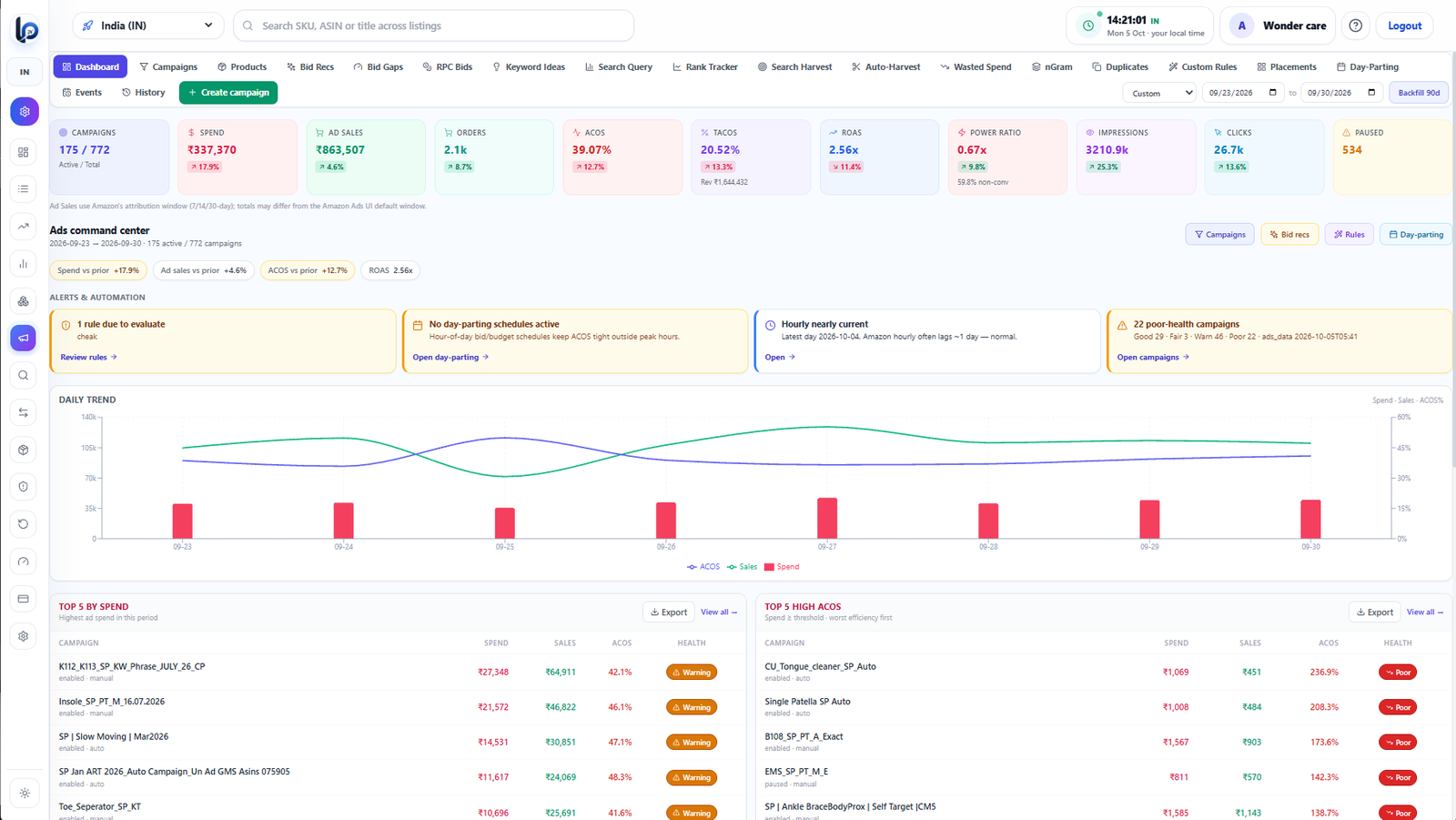
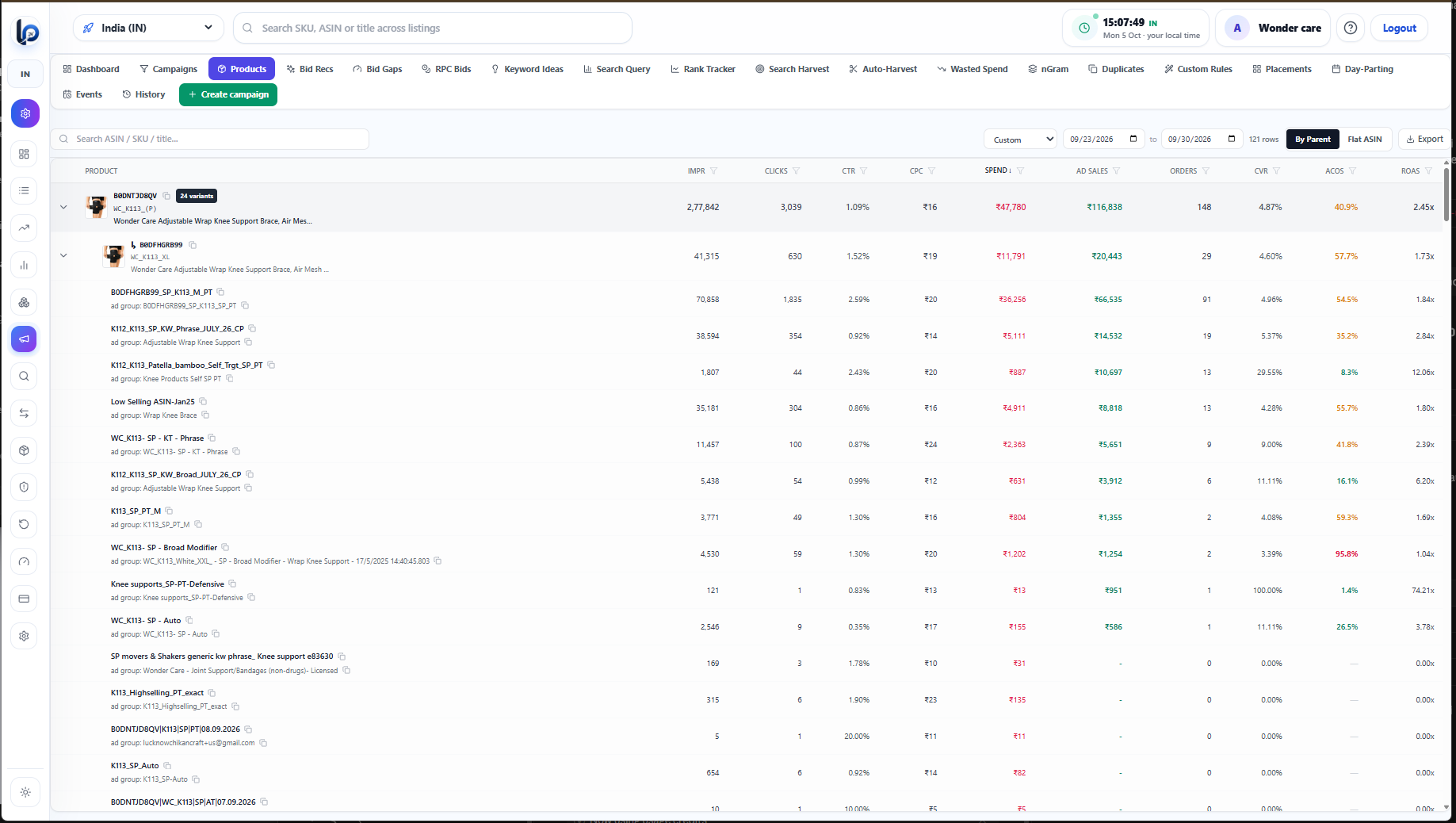
Campaign-level ACOS, ROAS and wasted spend live on the Amazon PPC dashboard; daily units, revenue and returns by ASIN live in the Amazon sales tracker. The TACoS tracker is where the two meet.
| Pattern | Likely meaning | Next check |
|---|---|---|
| TACoS ↓, total sales ↑ | Ads are compounding into organic sales | Consider scaling spend on the winning ASINs |
| TACoS ↑, total sales flat | Paying more for the same revenue | Organic share, listing quality, Buy Box, stock |
| ACOS ↓, TACoS ↑ | Bid cuts improved efficiency but shrank the business | Impression share and organic rank on hero keywords |
| TACoS ↑ during a sale event | Expected ad ramp ahead of organic | Whether it returns to trend after the event |
TACoS needs Amazon Ads data, so Ads-connected views are included from Gold at ₹11,999/month (list ₹24,999). Silver at ₹8,999/month is the entry analytics plan for 1 marketplace; Diamond at ₹16,999/month covers up to 7 marketplaces. Prices are the current 50% off special; no percentage of ad spend is charged. Full details on the pricing page. Comparing ads tools? Read best Amazon PPC tool for India sellers (2026).
Shashank built the ListingPilot data layer that joins Amazon Ads API spend with SP-API order data, which is what makes per-ASIN TACoS and the organic vs sponsored split possible.
Connect your marketplaces, explore the demo dashboard, or sign up — 50% off special pricing. Early users may get up to 5–10% additional off for a limited time.
Best Tool in India
Thank you, Wondercare. Your team pushed us hard on returns and settlement accuracy, and the product is better for it.
Best for sales analytics — first time something like this in India. I am so happy.
Thank you, Hulara. Sales analytics was the first thing we built, so this means a lot.
Nice tool. It will help Amazon sellers a lot.
Thank you, Febcart. Glad it is proving useful for your team.
Nice tool.
Thank you, Kraftwila.
It is all very good for Amazon sellers.
Thank you, Monozo. Multi-marketplace sellers like you shaped a lot of the dashboard.
I like it, but you need to upgrade it more.
Thank you for the honest feedback, Jaipurartmart. Tell us which part you want improved next and we will put it on the roadmap.